How solo developers can start with Physical AI using simulation and low-cost robotics
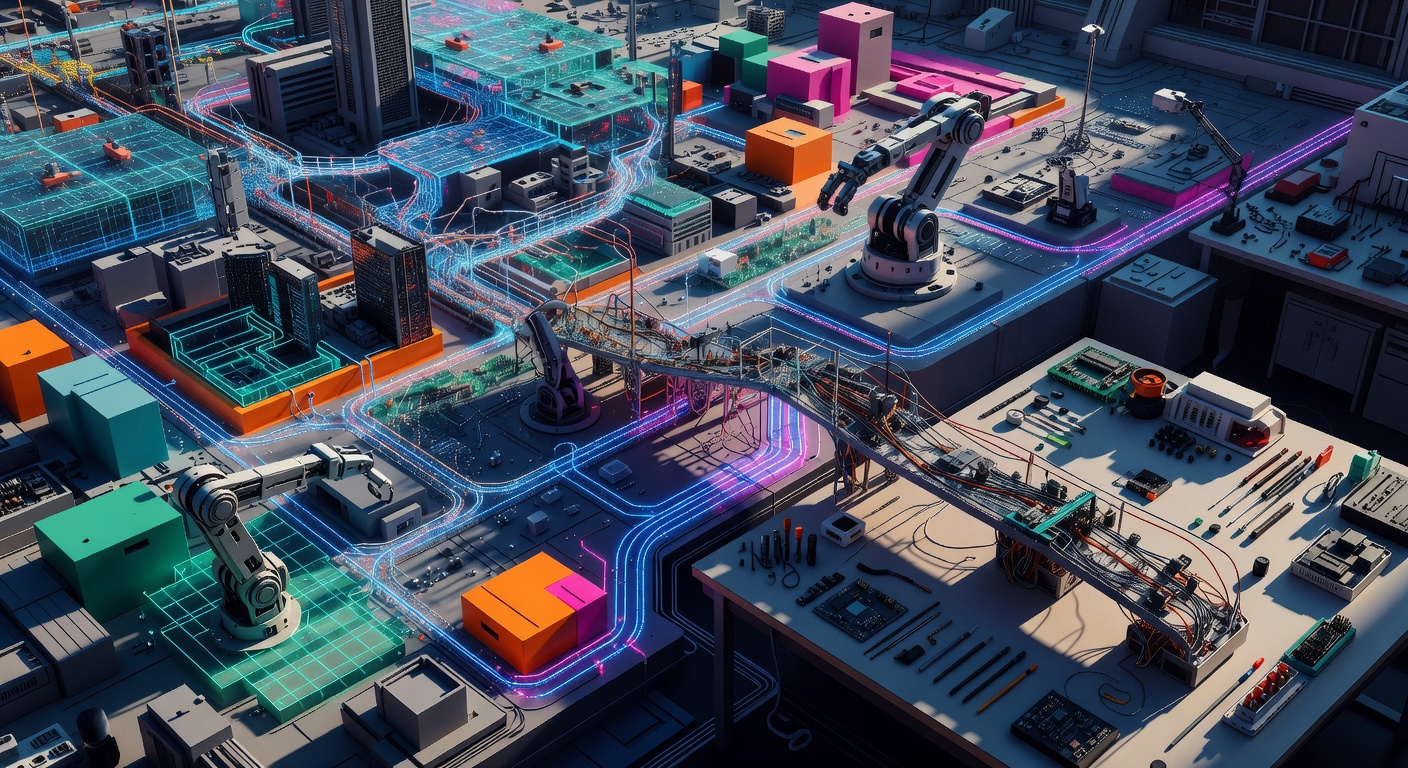
A few weeks ago I was looking at the Physical AI wave from the same place most developers are looking at it from: a normal desk, a decent GPU, Python open in one window, and no robotics lab anywhere in sight. From there, the gap between Jensen-on-stage hype and what a solo developer can actually build looks huge. In practice, it isn’t. But only if you stop thinking “general robot” and start thinking “one constrained task, first in simulation, then on cheap hardware.”
That framing matters more now because the stack is no longer a museum piece. ROS 1 reached end-of-life on May 31, 2025, while ROS 2 Humble remains supported through May 2027, so this is current tooling, not nostalgia (Black Coffee Robotics). The hardware also moved. The open-source side moved. The question stopped being whether a solo dev can touch Physical AI. The real question is where to start without wasting three months on the wrong problem. That’s the point.
The gap looks bigger from the outside than it actually is
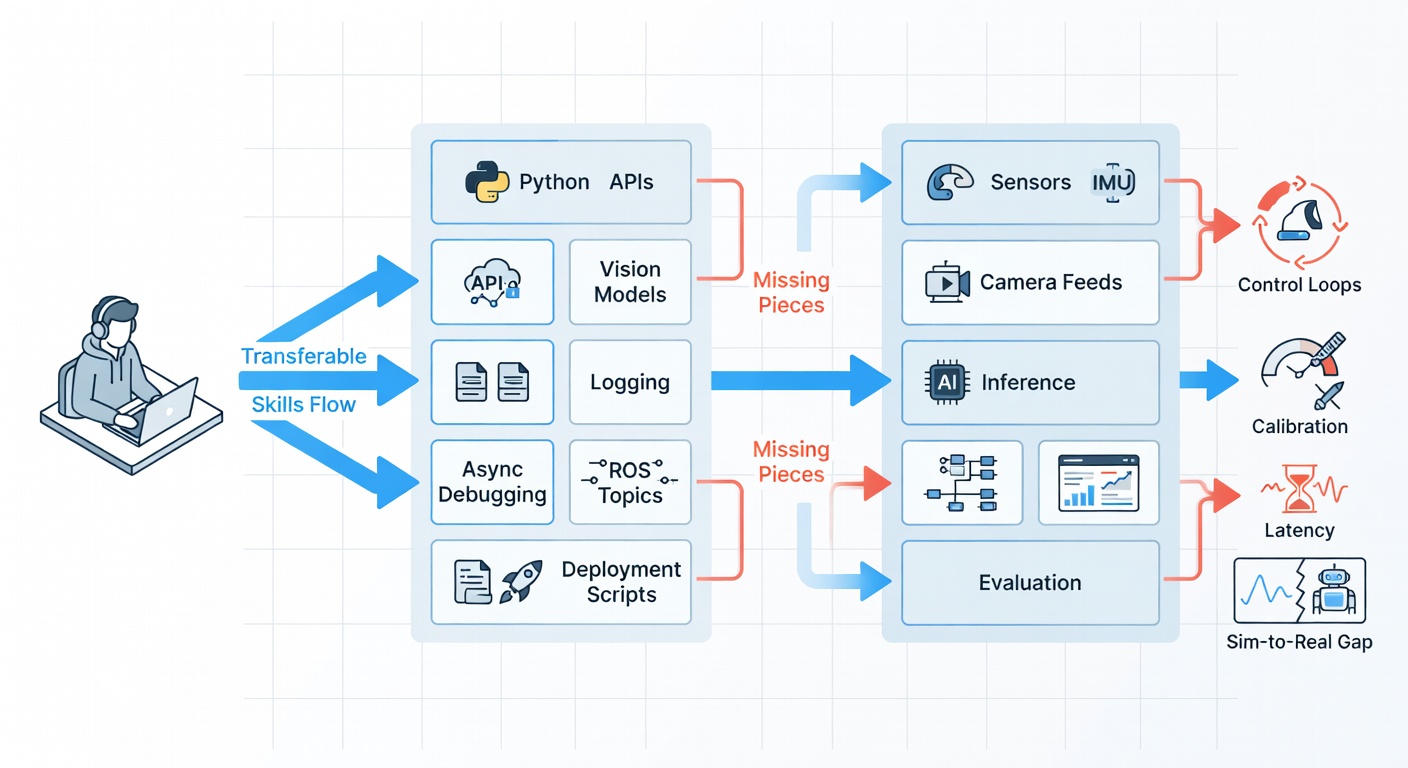
If you already work with Python, APIs, vision models, data pipelines, and a bit of inference orchestration, you already have a large part of the stack. I’d say more than 60% for many software developers, and that’s not motivational fluff. Libraries like LeRobot are explicitly Python-native and hardware-agnostic, from low-cost arms to bigger platforms, which tells you something important: robotics workflows are getting pulled toward software workflows.
What’s transferable is obvious once you stop mystifying the field. You can handle sensor data, camera feeds, model inference, logging, evaluation, and deployment scripts. You know how to debug asynchronous systems. You know what a bad interface looks like. That all transfers.
What doesn’t transfer cleanly is the part the hype usually skips. Control loops are real. Calibration is real. Latency is not a rounding error. Sim-to-real is a real gap, still described in current research as a major obstacle (arXiv). Physics doesn’t negotiate.
Step 1: start with pure simulation and keep the first problem embarrassingly small
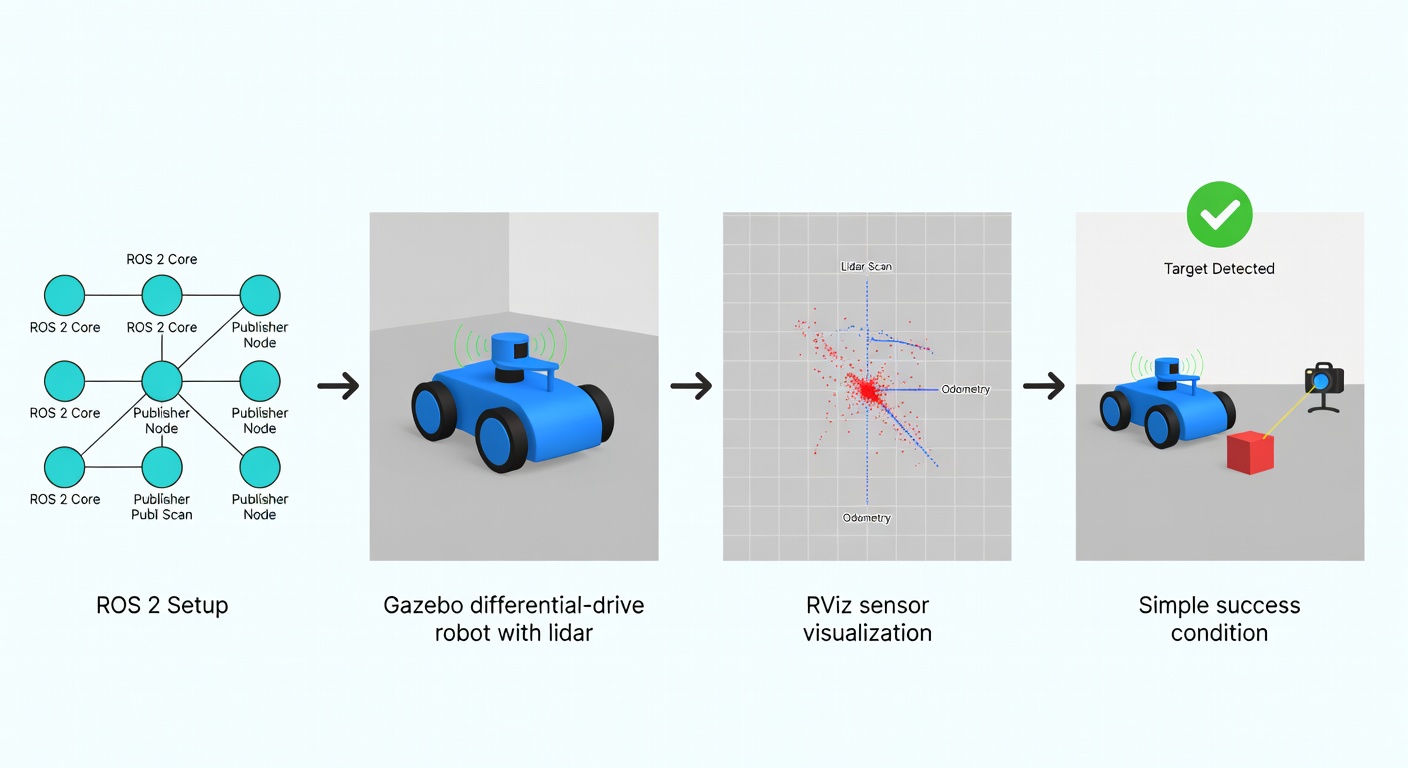
The first install I’d recommend for a solo dev in 2026 is ROS 2 Humble or Jazzy plus Gazebo, with the ROS-Gazebo bridge. Not because Gazebo is beautiful. It isn’t. Not because the naming history is sane. It isn’t. But because it is still the most documented path to learning topics, transforms, sensors, control, and the boring plumbing that every real robot project depends on (ROS docs, Black Coffee Robotics).
So what do you actually do first? Install ROS 2. Install Gazebo. Install ros_gz_bridge. Launch a differential-drive robot with lidar. Publish velocity commands. Visualize scans in RViz. Then add one camera. Then one target object. Then one success condition. If your first project has multiple robots, language commands, manipulation, and navigation together, you are not being ambitious. You are hiding from debugging.
Gazebo is still the cleanest first move because it teaches the mental model of robotics with the least conceptual overhead. You learn what a robot description is, how sensors publish, how control commands flow, how frames break when you’re careless, and how simulation time changes assumptions. Gazebo Harmonic is supported through September 2028 and Jetty through September 2030, so you’re not building on a dead branch (Black Coffee Robotics).
Now, you might be wondering—how does this actually work in practice? A bounded first case can be reproduced fast. ROS documentation shows a basic Gazebo and ROS 2 simulation in minutes, not days (ROS docs). If you want a more complete reference, Intel’s simulated pick-and-place demo combines Nav2 and MoveIt2 with Gazebo and ROS 2 Humble, but that’s already beyond “first weekend” complexity (Intel Open Edge Platform).
The common mistakes are painfully predictable. People start with a task that needs perception, planning, grasping, and recovery all at once. Or they spend days polishing the world instead of validating the loop. Or they assume a simulator is “close enough” without modeling timing. The play died there.
Why ROS2 plus Gazebo is still the cleanest first move
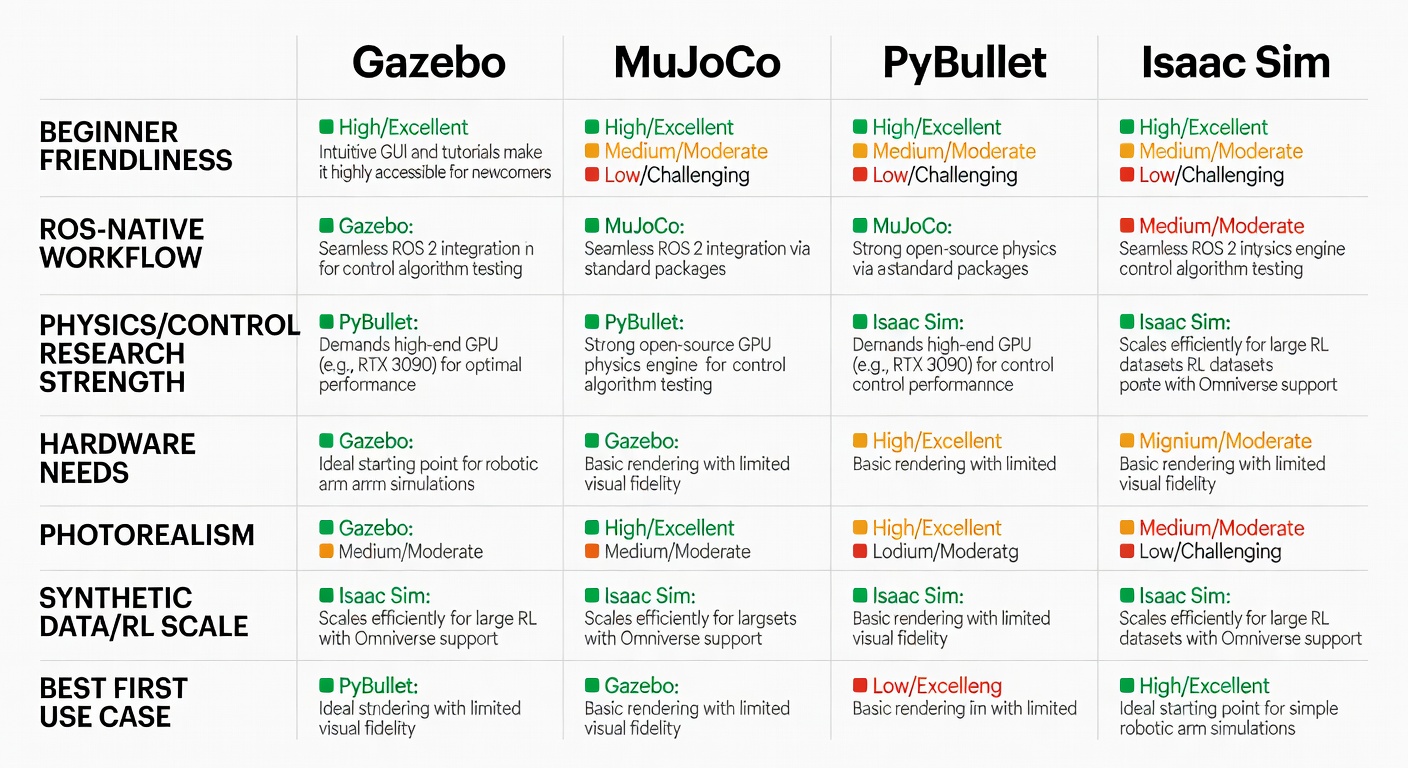
For a solo developer, Gazebo beats MuJoCo and PyBullet as a first contact if the goal is learning robotics systems, not just reinforcement learning. MuJoCo is excellent for physics and control research, but even supporters describe it as less beginner-friendly because of MJCF and lower-level structures (Black Coffee Robotics). PyBullet is light and useful, but it doesn’t teach the ROS-native workflow you’ll need later.
Looks like old-school middleware pain. It’s not. It’s the shortest path to understanding how real robot software is composed. ROS 2 is still described by maintainers as a production-grade robotics framework, and Nav2 is where much of the mobile robotics work now lives (ScienceDirect). That matters because your first useful project should teach you the stack you’ll actually keep using.
When Isaac Sim becomes worth the extra weight
Isaac Sim enters the picture later, when your task is constrained and you have a reason to care about synthetic data, RL, or sim-to-real workflows. It became open source in 2025 and is clearly stronger for AI-heavy simulation, photorealistic rendering, and large-scale parallel training (Black Coffee Robotics). NVIDIA’s own Isaac Lab material cites roughly 90,000 frames per second on a Spot velocity task with an RTX A6000 (NVIDIA).
But here’s the catch, however, and it’s a real one: it needs serious GPU, and the learning curve is steeper. If you haven’t already reduced the problem to one robot, one observation pipeline, one reward or one success metric, Isaac Sim is just a heavier way to stay confused. Not magic. Structure.
What a solo dev can realistically reproduce in two weeks
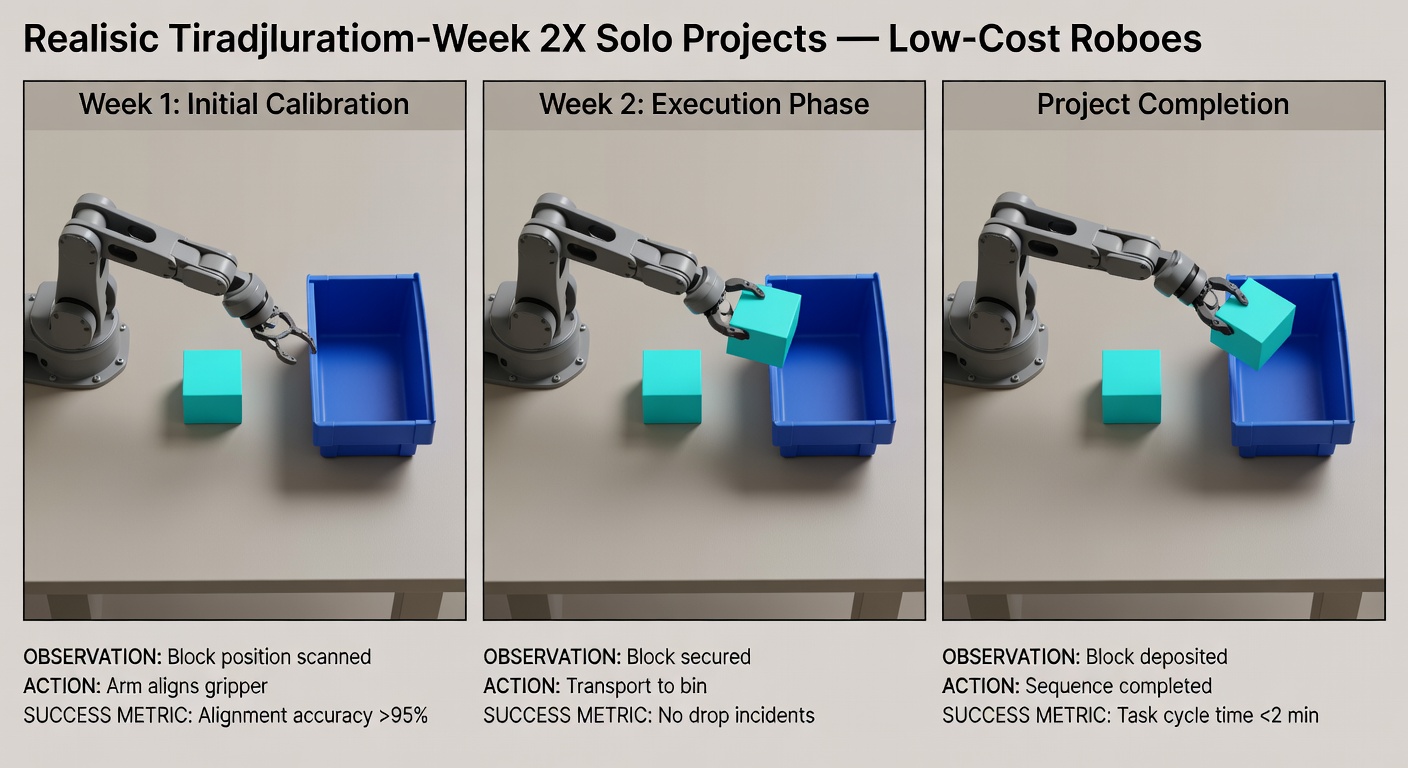
A realistic two-week target is not “train a generalist robot.” It’s something like this: a single arm in simulation, one overhead camera, one colored block, one bin, one scripted or learned pick-and-place sequence. Or a mobile robot in a simple indoor map that reaches a goal while avoiding obstacles.
Last week I reviewed a few public examples again, and the pattern was the same: the projects that look replicable are the ones with narrow state spaces and visible success criteria. LeRobot’s SO-100 pick-and-place dataset has 19.6k rows across 50 episodes, which is exactly the kind of scale that tells you this is a bounded tabletop task, not mythology. That’s what you want first.
Imagine a solo dev who spends two weeks reproducing pick-and-place in simulation. It works on-screen. The arm reaches, closes, lifts, drops. Then they buy an SO-100 or SO-101 follower arm and spend the next month calibrating camera position, servo offsets, gripper timing, and action smoothness. That timeline is much closer to reality than the demo reel version.
A small detour: most people are not blocked by hardware first, they are blocked by problem selection
This might be a controversial take, but hear me out. Most solo devs saying “I need the right robot first” are usually avoiding the harder admission: they picked a task too broad to debug. NVIDIA’s own training material says physical AI is born in simulation because real-world training is expensive, slow, and painful to reset (NVIDIA).
Small detour: a lot of “robotics ambition” is just badly disguised scope creep with wheels on it. If you can’t define the terminal condition in one sentence, don’t buy hardware yet.
Step 2: buy the first hardware only after the simulation gives you a reason
For navigation, buy a car platform. For manipulation, buy an arm. This sounds trivial, but a lot of money gets burned here.
If your goal is navigation, low-cost ROS2 cars are already good enough to learn the right lessons. Hiwonder TurboPi starts at $99.99. Yahboom’s MicroROS-Pi5 starts at $299 without the Raspberry Pi. Hiwonder LanderPi is listed at $429.99. Once you move into combined mobile manipulation, prices jump fast: JetAuto Pro starts at $959.99. That jump is usually not worth it for a first month.
If your goal is manipulation, the cleanest on-ramp right now is LeRobot plus the SO-100 or SO-101 family. LeRobot has 22.7k GitHub stars, 4.1k forks, and 234 contributors as of 2026-03-29, which is a useful proxy for community gravity (GitHub). The hardware side is also unusually transparent: TheRobotStudio lists a one-follower-arm BOM around $121.94 and a two-arm BOM around $229.88 in the US. Media coverage of the SO-101 put the base price at $100, while warning that assembled units often land closer to $500 depending on supplier and tariffs (TechCrunch).
That spread matters. If you like assembling hardware and want the cheapest path, source parts. If you want to start testing sooner, pay for assembly and accept the premium. I wouldn’t call one better in the abstract. I’d call one cheaper and the other faster.
What the first month with real hardware actually feels like
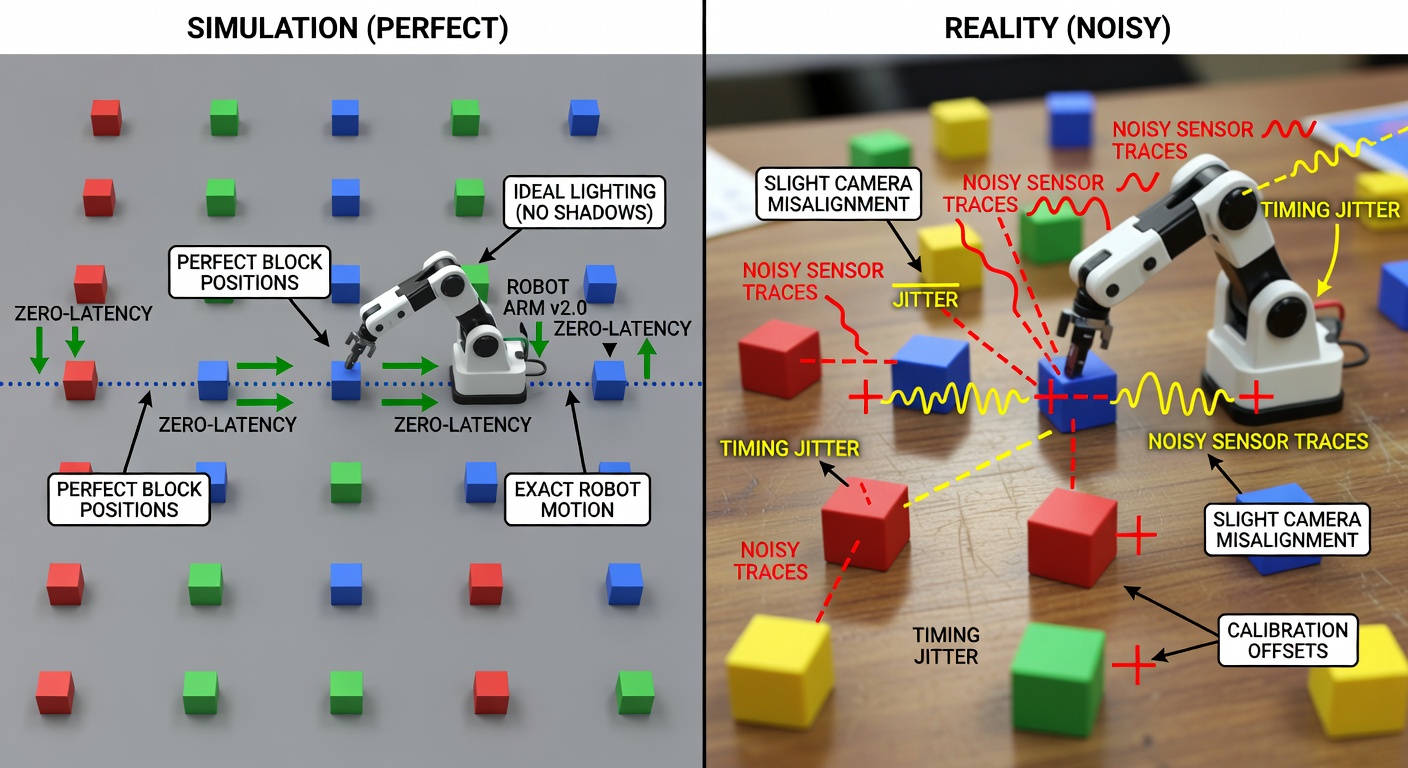
The first month is calibration, drift, timing, and disappointment in manageable doses. That’s normal. A simulated grasp that “worked” because contact was slightly forgiving may fail repeatedly on the real arm because the wrist camera is a bit off, the gripper closes a bit late, or the block is 8 millimeters from where you thought it was.
And this is where honesty matters. Tools like openpi are explicit about it: adaptation may fail, and not every attempt will succeed on your robot (openpi README fork mirror, Trossen tutorial). That warning is healthy. It means the community is finally saying the quiet part out loud.
Looks like the model is the hard part. It’s not. The hard part is usually the interface between model, camera, actuator, and time.
Step 3: build one complete case, not a robotics portfolio
For a manipulator, pick-and-place with vision is the better first complete case. The success criterion is visible, the workspace is bounded, and there are already public datasets and tutorials around SO-100 and SO-101. LeRobot’s public pick-and-place dataset makes this much more reproducible than the average flashy demo.
For a mobile robot, indoor navigation with obstacle avoidance is the better first complete case. ROS 2 already gives you a strong baseline through Nav2, and that’s useful because you need a baseline to stay honest. A 2025 sim-to-real paper benchmarked end-to-end local planners against Nav2 and reported comparable performance with zero-shot transfer from Isaac Sim to real ROS 2 robots in their setup (arXiv). Useful result, but not a blank check.
What still hurts? Perception under changing light. Recovery behaviors. Timing mismatches. The temptation to add language too early. And, always, the sim-to-real gap.
What is still hard, and why that should change your expectations not your decision to start
ROS 2 still has a real learning curve. Gazebo still has rough edges. Isaac Sim still wants more machine than many solo devs have. Sim-to-real is still not trivial. Current work keeps repeating the same core truth: the gap remains a major obstacle, especially for learned policies (arXiv).
But here’s where things get interesting. None of that means “don’t start.” It means start with a task small enough that failure teaches you something specific. If your first project is narrow, the friction is educational. If it’s broad, the friction is just noise.
The point is not that Physical AI got easy, it is that the entry path got real
A solo developer does not need a robotics lab to begin. They need a normal dev machine, a simulation-first mindset, and enough discipline to reduce the problem until it stops being cinematic and starts being testable. The open-source stack is now mature enough, and the low-cost hardware is now cheap enough, that this path is real.
Not easy. Real.