
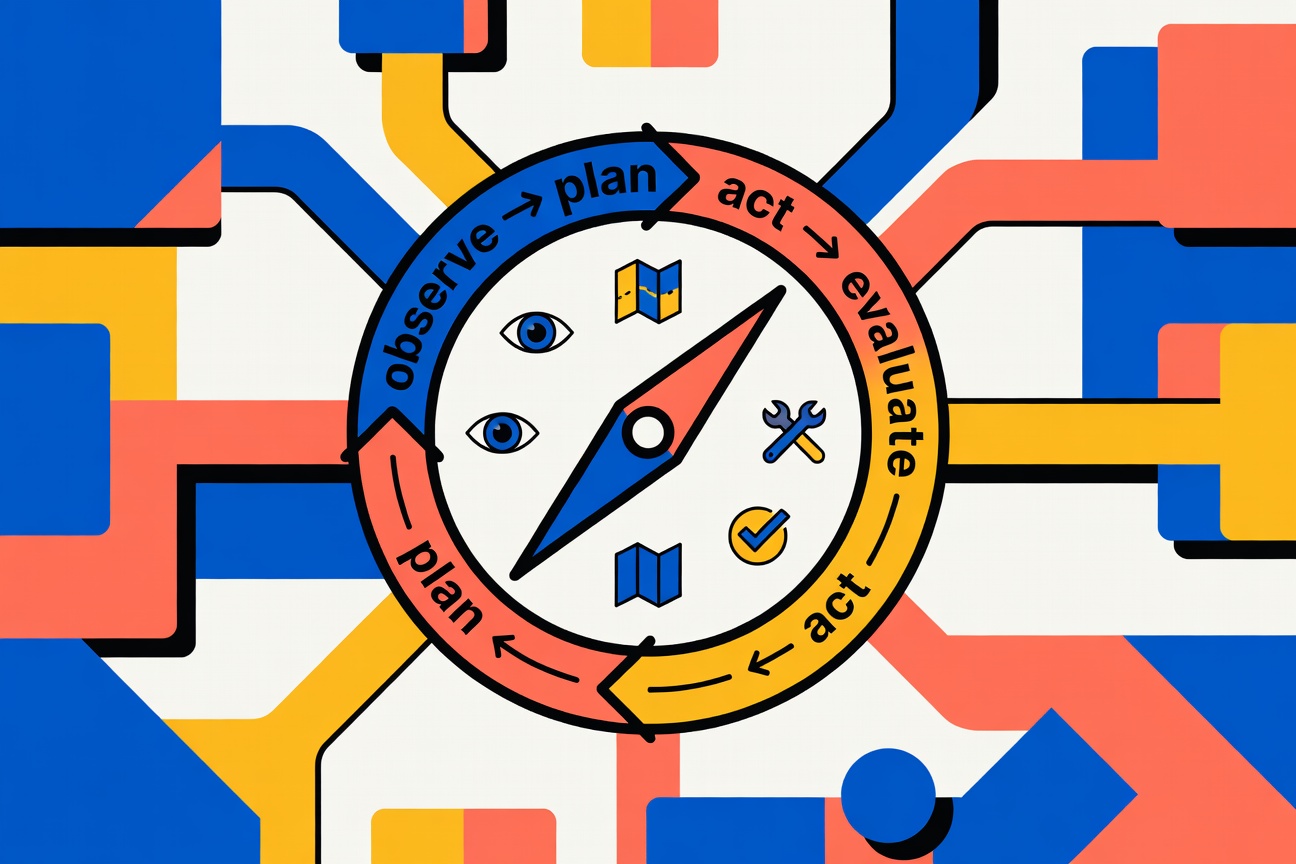
I keep hearing "AI-first support" pitched as a friendlier chat widget, a quicker bot, or a shinier handoff screen. That's not it. In real production support, AI-first is a decision-making architecture: a system that can watch what's happening, decide what to do next, take constrained (safe) actions across your stack, and then verify whether the move actually helped.
So this is architecture-first. No vendor cage match. No prompt superstition. Just a practical blueprint — framed around a simple maturity spectrum:
reactive responder → proactive suggester → action executor → autonomous decision-maker
We'll turn "the model that decides" into an explicit loop: observe → plan → act → evaluate → repeat. And yes, that loop changes basically everything about how you design permissions, escalation, QA, and rollback paths. By the end, you'll also have a concrete 8-month staged rollout plan you can take straight into a planning meeting.
Want an autonomous AI assistant already built this way?
Atiendia is designed around this exact architecture — document corpus training, live system tool access, and human escalation baked in. Try the live demo or book a 30-minute call.
Key Takeaways
- An AI-first support strategy puts AI in the driver's seat: every ticket or chat hits an AI layer first (agent, copilot, or smart routing), and humans step in when the situation requires real judgment or nuance (Comm100).
- Autonomy isn't a UI toggle. It's a systems decision. A RAG/FAQ bot can respond; an agentic setup can choose and act by looping through context gathering, planning, tool calls, and outcome checks (Postman).
- To climb the maturity ladder without breaking things, you need: (1) explicit tool contracts plus least-privilege access, (2) identity and entitlement checks, (3) confidence-based escalation, and (4) governance that tracks outcomes — resolution-without-recontact, false escalation rate — not just deflection (Comm100).
- If you can spell out what "correct" looks like for ~70% of your volume — and you have clean structured data plus written policy — you're closer than you think. If not, we'll get into what to clean up first.
The maturity spectrum: from answering to deciding
Most teams say they'll "start small," then never define what "more autonomous" actually means. A maturity ladder forces the issue — clear gates, clear metrics, fewer vibes. Borrowing from agentic maturity frameworks like Vellum:
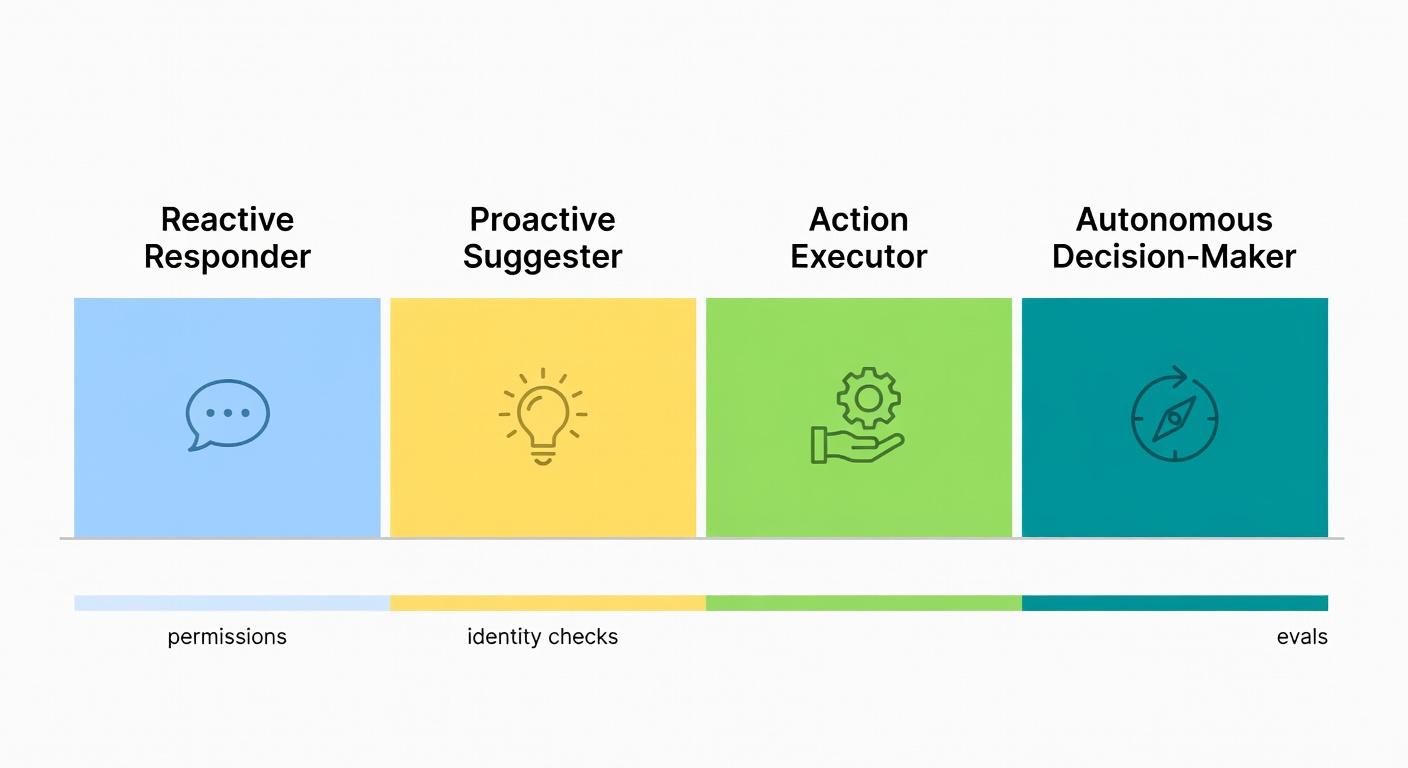
- Reactive responder — answers questions and summarises. No tools, no loop, no persistent state. Useful for contact-page chat and FAQ deflection.
- Proactive suggester — proposes next steps for human agents: triage drafts, routing recommendations, suggested replies. Reduces effort without taking ownership.
- Action executor — tool-using workflows with human approval gates. Can check order status, initiate returns, reset passwords — but high-risk steps route to a person.
- Autonomous decision-maker — persistent loop, replanning, outcome checks, governed permissions. Handles a full support conversation end-to-end, escalating only when confidence, risk, or policy require it.
Gartner predicts that by 2029, agentic AI will autonomously resolve 80% of common customer service issues (Gartner). The operational takeaway is unglamorous: lay the plumbing now, then earn autonomy one controlled step at a time.
AI-first vs. RAG bots vs. agentic/autonomous support: what changes in the architecture?
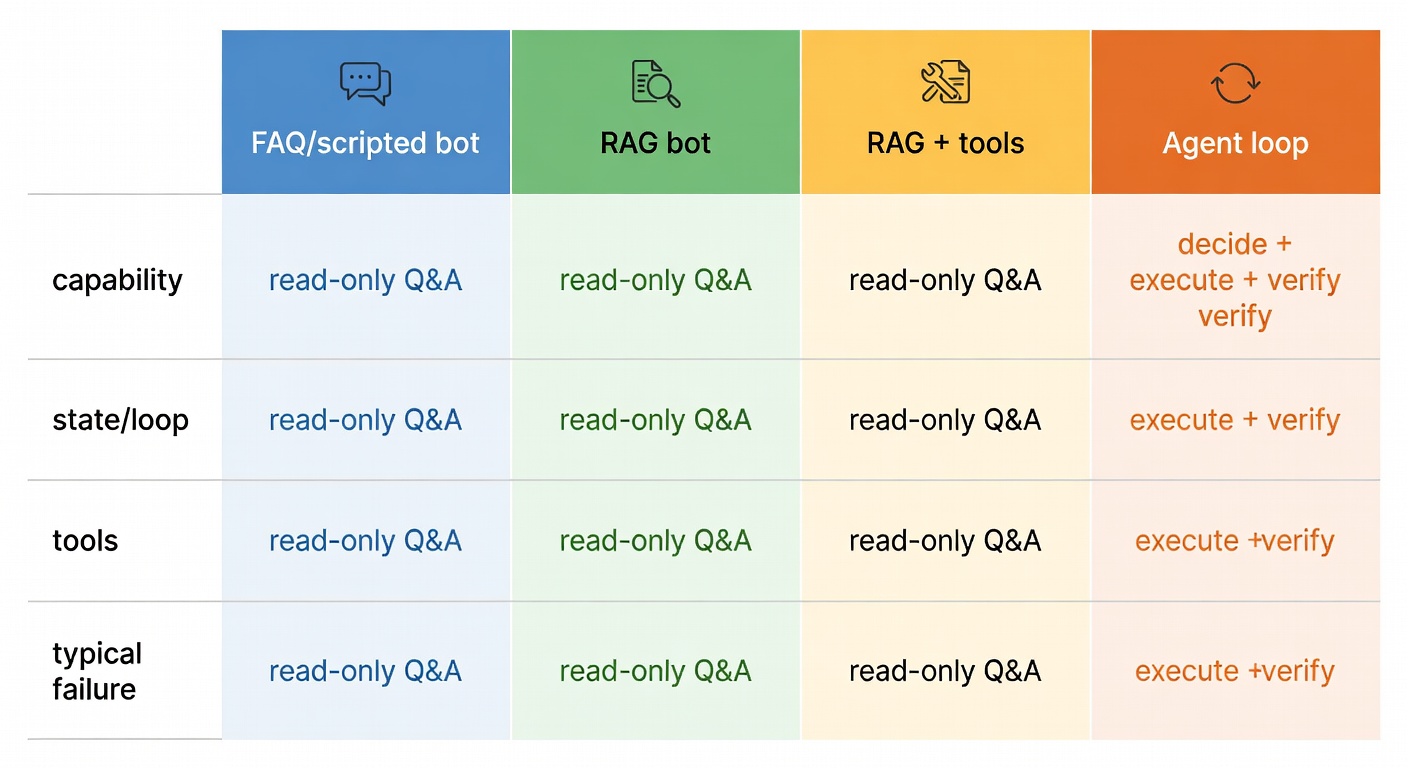
Most teams start with RAG because it's the fastest way to ship "answers that cite the help centre." But RAG, by design, is read-only Q&A. It can explain the rules; it doesn't own the result. Agentic/autonomous support is built to go from conversation to completion — checking eligibility, making the change, and confirming it worked with minimal human input (Gartner; Postman).
| System type | Primary capability | State & loop | Tools | Typical failure |
|---|---|---|---|---|
| FAQ / scripted bot | Route + canned replies | Minimal | Rare brittle flows | Blank face on anything off-script |
| RAG bot | Grounded answers | Single-shot | Read tools | Stops at "here's the policy" |
| RAG + tools | Answer + occasional action | Weak loop | Read/write tools | "Tool spam" + no self-check |
| Agent loop | Decide + execute + verify | Persistent loop | Tool taxonomy + eval | Compounding errors if unmanaged |
Concrete example — refund to completion: A RAG bot quotes the refund policy. An agentic assistant can: verify identity → check order status → check refund window → decide refund vs. replacement → issue credit → update ticket → notify customer. That's not "better chat." That's a resolver. Gartner frames this exactly as a shift from tools that "assist with information" to systems that "proactively resolve service requests."
The agent loop: observe → plan → act → evaluate (in plain English)
The loop is the product. Everything else — RAG, tool calling, escalation, memory — is infrastructure in service of the loop.
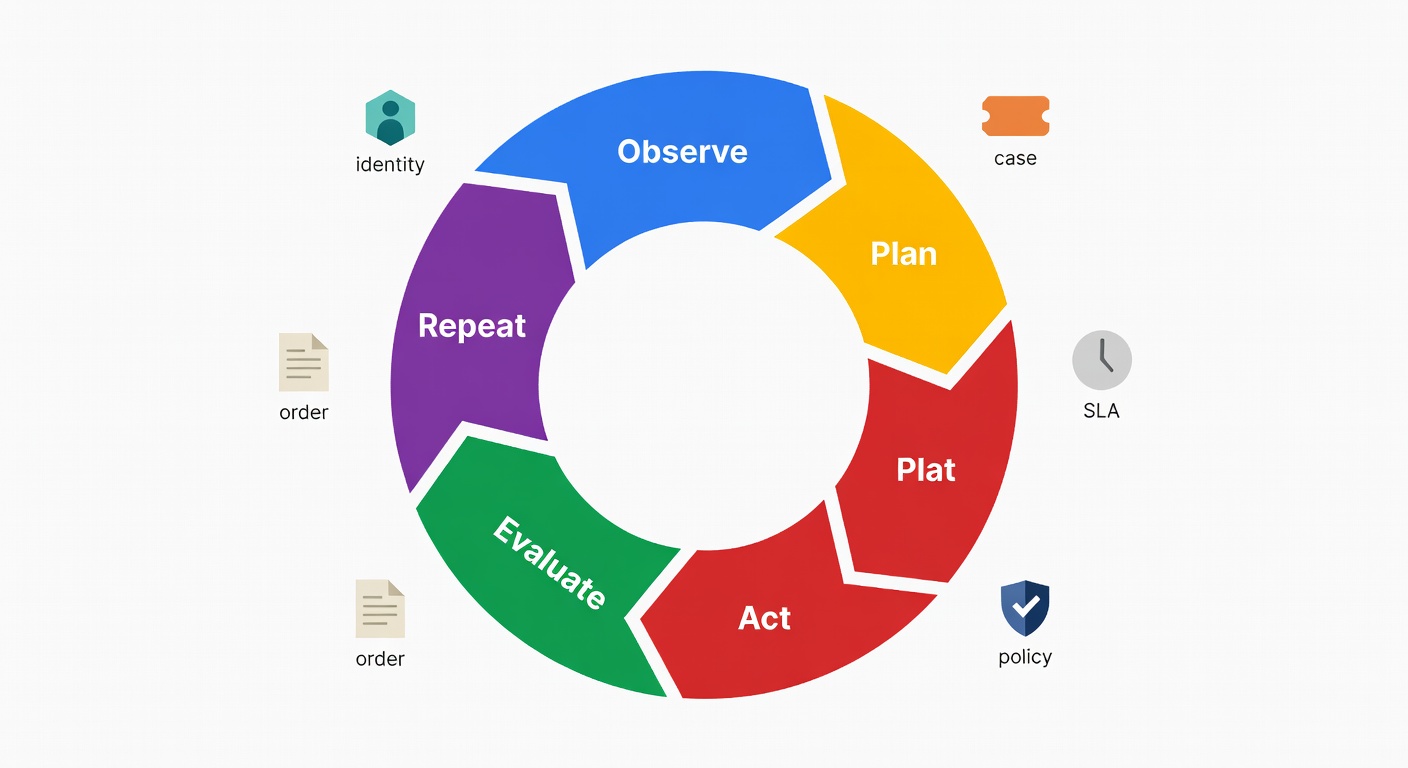
- Observe: inbound message + CRM profile + open orders + prior contacts + SLA risk + channel metadata. The richer this context, the less the model has to guess.
- Plan: a short task graph — "verify identity → fetch order → check policy → choose action." Explicit, not implicit.
- Act: call tools (CRM, orders, billing) with explicit parameters. Not "do something useful"; "call createRefund(order_id='X', amount=29.99, reason='late_delivery')".
- Evaluate: confirm the action succeeded (refund posted, shipment created), then continue / ask a clarifying question / escalate. Don't assume success.
- Repeat: because support is messy. Real conversations branch.
This maps to how agentic systems "plan, act, and adapt" with memory and evaluation (Postman). The question to ask about your current setup: where does the loop break?
Why "RAG + a couple of API calls" is not autonomy — and where RAG still fits
RAG is valuable. It's just not the decider. Slapping write actions onto a RAG bot and calling it "autonomous" is how you end up with a one-shot guess that has real side effects. A cleaner mental model: RAG is a data-access tool inside a broader tool-calling system (Machine Learning Mastery) — excellent for policy lookup and SOPs, while the agent decides when it has enough signal to act.
RAG's sweet spot stays intact: grounded, policy-cited answers for reads. The moment you need the model to change state in a real system, you've left RAG-land and entered the loop.
Reference architecture: the core building blocks of an AI-first support assistant
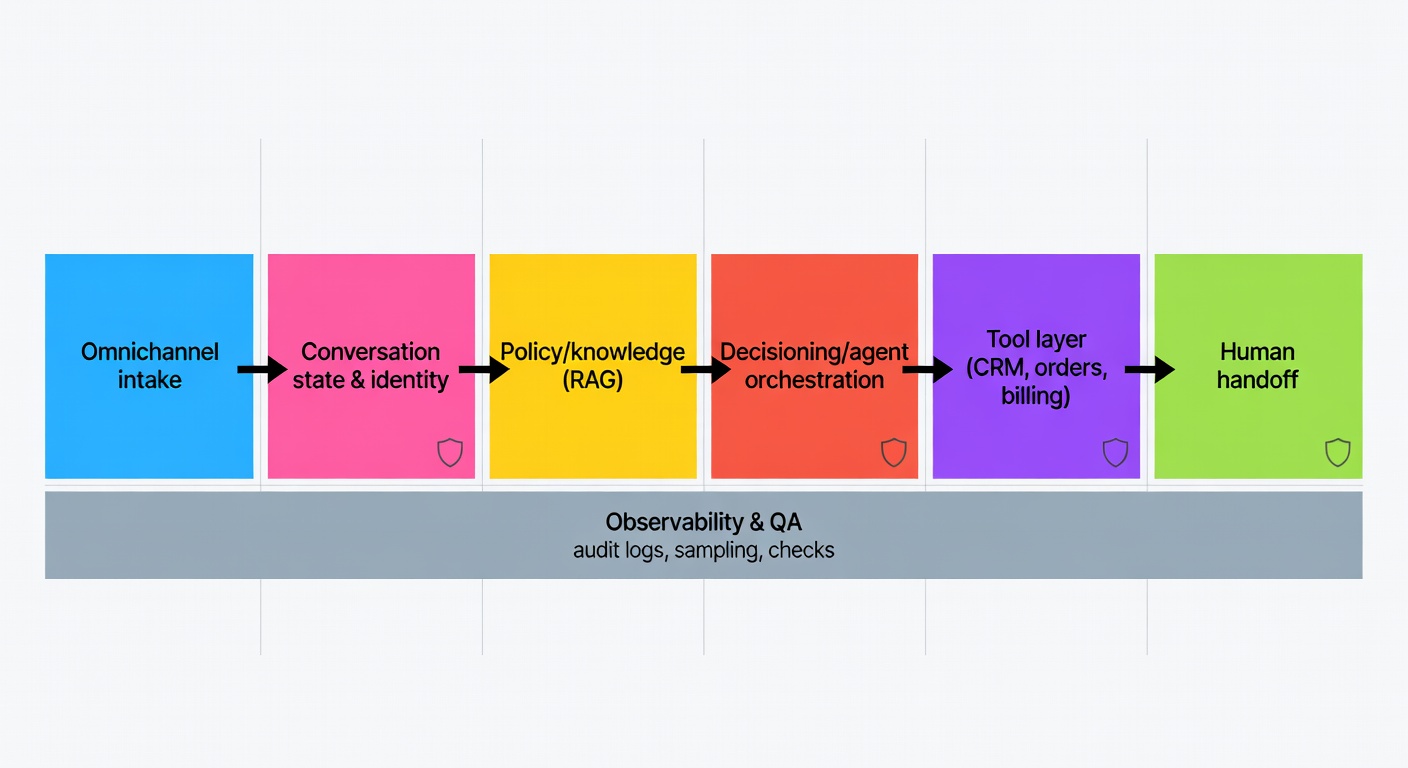
A vendor-neutral architecture that holds up once it hits messy production reality:
- Omnichannel intake — email, chat, WhatsApp, widget. Normalise to a common message schema early.
- Conversation state + identity — who is this, what thread are we in, what's already been attempted?
- Policy/knowledge layer — RAG over the KB, policy docs, pricing tables, SOPs.
- Decisioning / agent orchestration — the loop: planning, tool execution, evaluation.
- Tool layer — CRM, helpdesk, orders, inventory, billing. Explicit contracts per tool.
- Human handoff — escalation with full context attached, not a blank slate.
- Observability & QA — audit logs, conversation sampling, automated checks.
Domain model: the objects the agent is allowed to reason about
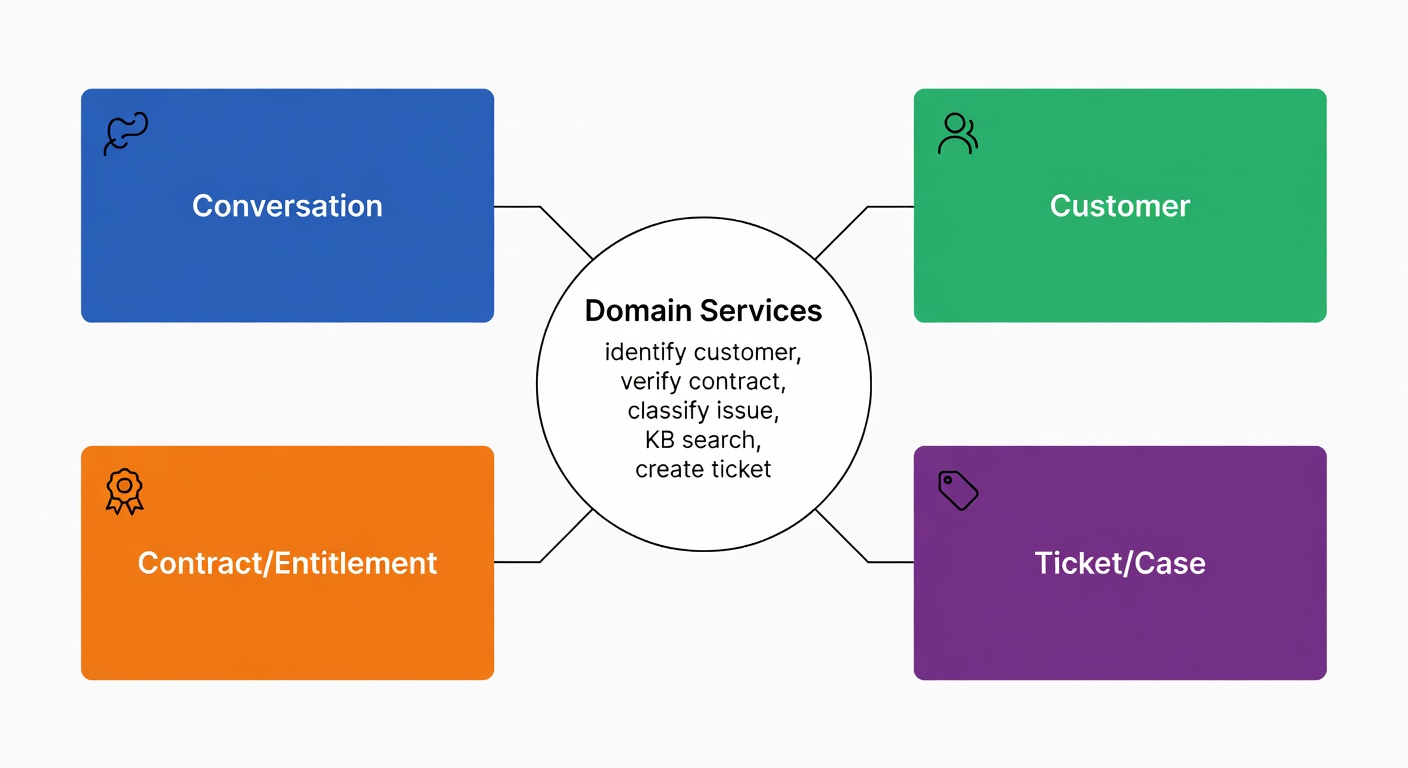
Before writing a single prompt or connecting a single API, it helps to name the real-world things your support system manages. In software engineering this is called a domain model — and it's just a list of the key "nouns" the system needs to understand, each with clear boundaries on what it can read, write, and decide. For an AI support assistant, getting this clarity upfront prevents the most common autonomy failure: the model quietly becoming your source of truth for data it should only read.
Four domain objects cover almost every support workflow:
- Conversation — channel, state, last action, pending verification
- Customer — identifiers, tier, risk flags
- Contract/Entitlement — what they're allowed to receive, warranty validity
- Ticket/Case — status, owner, required follow-ups
Keeping these objects — and the services that act on them (identification, contract verification, classification, ticket creation) — distinct and separate from the model's reasoning is the guardrail that stops the agent from over-reaching (Medium).
Integration layer: omnichannel routing + workflow orchestration
Your orchestration layer needs to reliably handle:
- Routing — VIP, language, SLA tier
- Transformation — email → normalised message schema
- Retries and idempotency — so "issue refund" doesn't run twice on a transient timeout
- Error handling — billing API down → replan or escalate, never silently fail
The pattern matters more than the specific tool. What matters is that every step is logged, retryable, and inspectable.
Tool calling for autonomous decisions: reads, computations, and actions
Tool calling is the moment "autonomy" stops being a slide-deck word and starts touching real systems — which is also when the risk gets very real. A simple taxonomy goes a long way for designing permissions and writing tests that mean something (Machine Learning Mastery):
- Data access tools (read-only): CRM lookup, order status, KB/RAG search, customer entitlement check
- Computation tools (transform): eligibility calculation, refund amount math, SLA risk scoring
- Action tools (write / side effects): issue refund, create RMA, update address, cancel subscription
Scenario — order late, no order ID in hand: Observe message + email → plan: match identity → act: getOrdersByEmail() → getShipmentTracking() → evaluate exception → send proactive update; if ambiguous, ask one clarifying question (postcode or last 4 digits of card). This only holds together if your identifiers are consistent and tracking events are structured.
Action safety: approvals, spending limits, and rollback paths
For high-risk actions, you want hard controls — not vibes:
- Approval gates: refunds above £X, address changes, cancellations, any account deletion
- Daily budgets/rate limits: refund cap per customer per policy cycle
- Allowlists: only certain SKUs eligible for instant replacement
- Idempotency keys:
refund(order_id, reason, idempotency_key)— same request twice → same outcome, no double-refund - Rollback paths: if a mid-workflow step fails, create a ticket with full state so a human can resume — don't just silently abandon
Identity, security, and entitlement checks
Autonomy without identity is just a model taking stabs in the dark — with write access. That's not "agentic"; that's a ticket to an incident review.
A minimal flow that works in production:
- Customer recognition — match email / phone / WhatsApp number to a record
- Step-up auth when things get fuzzy — OTP for account changes, high-value actions, or when a new device is detected
- Entitlement verification — is the contract active? Warranty valid? Any tier limits?
- Scoped data access — only that customer's records; only the fields you actually need for this action
You can see this pattern in the help-desk assistant architecture: customer recognition, OTP authentication, and contract verification before the assistant is allowed to do anything deeper (Medium).
Escalation triggers: confidence, sensitivity, and customer effort
Escalation isn't failure. Escalation that wastes the customer's time is. Define your triggers explicitly:
- Customer asks for a human → always honour it immediately
- Low confidence / high ambiguity → escalate rather than guess
- Sensitive topics — billing disputes, fraud, account takeover → default to human
- Too many turns / repeated clarification requests → escalate with full context
- Frustration signals + high effort score → escalate proactively, don't wait
And the handoff payload matters enormously. Include: full transcript, the customer's most recently stated goal, which tools were called and what came back, what's still unresolved, and a recommended next step — so the customer never has to say the same thing twice (Comm100).
A staged autonomy roadmap: from copilot to "mostly autonomous"
The operational takeaway of every maturity model is the same unglamorous truth: earn autonomy one controlled step at a time. A concrete example rollout:
- Months 1–2 (Stage 1 — reactive): after-contact summaries + intent tagging. No write access, pure read. Build trust in output quality.
- Months 2–4 (Stage 2 — proactive): triage + routing suggestions, draft replies for agents. Agents still send everything.
- Months 4–8 (Stage 3 — executor): order status + password reset + returns initiation, with approval gates for anything above threshold. First real autonomy.
- Months 8+ (Stage 4 — autonomous): cross-system resolution with evaluation loop + full audit trail. You've now earned the right to skip the approval gate on well-understood, low-risk intents.
What to automate first: high-volume, policy-bound workflows
Start with intents that show up constantly, have rules you can test against, and where a wrong answer is recoverable:
- Order status + shipping exception lookups
- Password / access recovery (with step-up auth)
- Returns initiation
- Refund eligibility checks (with hard thresholds, not "use judgement")
- Ticket triage and routing
Comm100 recommends beginning with narrow, well-bounded use cases like order status and password resets, then widening scope (Comm100). "AI-first" isn't "AI-only" — it's solid routing plus clean escalation when the bot hits rough edges.
Measurement, QA, and governance: proving autonomy without breaking trust
If autonomy is a decision architecture, then ops turns into governance. The measurement shift is real:
- Scripts → policies (versioned, testable, diffable)
- Ticket handling → outcome distributions (resolved correctly vs. escalated appropriately)
- Containment rate → trust metrics
Metrics worth tracking:
- Decision accuracy — was the selected action the right one?
- False escalation rate — escalated when it reasonably could have resolved
- Resolution-without-recontact — did the customer have to come back within 48 hours?
- Time-to-resolution (TTR) — true end-to-end, not "first-reply" theatre
- Audit completeness — every tool action logged with inputs, outputs, and outcome
Day-to-day monitoring practice:
- Sample conversations by risk tier, not just random
- Review tool-action logs (who called what, why, and what came back)
- Track policy conflicts — when two documents disagree and the model had to pick
- Run "replay" tests on new policy versions before rolling out
Comm100 emphasises ongoing QA and analytics, not a one-and-done setup (Comm100). Gartner highlights the organisational shift required as agentic AI changes service interactions (Gartner). The real question isn't whether you're building — it's whether you're staffed to monitor.
How Atiendia builds AI-first support that earns autonomy step by step
The architecture above isn't an aspiration — it's the operating model Atiendia is built on. Here's how each layer maps directly to what we deliver.
Layer 1: Full document corpus training (not just a FAQ export)
The policy/knowledge layer only works if the knowledge is deep enough. An assistant trained on a curated FAQ export will always hit the ceiling at edge-case policy — exactly where your customers need the most help.
Atiendia ingests your full document corpus: product catalogues, SOPs, pricing tables, legal terms, onboarding manuals, CRM exports, operation guides. The assistant reasons against this in real time — not keyword-matching, but understanding policy at the level of an experienced employee who has read every internal document your company has ever produced.
Layer 2: Live system connections — orders, databases, APIs
The tool layer is where most off-the-shelf chatbots stall. They're stateless: each conversation starts from scratch, with no connection to the operational data that would let the bot actually do something rather than just explain what the customer should do themselves.
Atiendia connects your assistant to:
- Your database or CRM — orders, account history, cases, in real time
- Your calendar and scheduling tools — book appointments and demos automatically
- Your e-commerce platform (Shopify, WooCommerce, Mercado Libre, custom API) — verify stock, confirm orders, process returns
- Email and helpdesk workflows — log conversations, create tickets, trigger follow-ups without manual entry
- Any external API in your stack — payment processors, logistics providers, ERPs, analytics platforms
Tool contracts are explicit, scoped with least-privilege access, and every action is logged with its input, output, and outcome — so your compliance team has an audit trail, not a black box.
Layer 3: Human escalation built in from day one
The escalation layer is the one most teams bolt on last. Atiendia bakes it in at design time:
- Define which intents always escalate — disputes, fraud, VIP customers, regulatory risk
- Set confidence thresholds — if the answer score falls below your floor, it routes to a human automatically
- "I want to speak to a person" is available at every turn, with zero friction and immediate routing
- The human agent receives the full conversation context — transcript, intent summary, tool calls and outcomes — so the customer never repeats themselves
The target Atiendia designs for: >80% resolution without human intervention, measured against real quality signals — CSAT, recontact rate, and resolution accuracy — not just containment numbers. The remaining <20% goes to your team fully equipped to close in one touch.
That's the observe → plan → act → evaluate loop, running in production, earning its autonomy level by level.
Sources
- Comm100 — How to Build an Effective AI-First Customer Service Strategy
- Gartner — Agentic AI will autonomously resolve 80% of common customer service issues by 2029
- Postman — What is Agentic AI? How Agents Plan, Act, and Adapt
- Machine Learning Mastery — Mastering LLM Tool Calling
- Medium — Building an AI Help Desk Assistant (DDD + multichannel + OTP + RAG + ticketing)
- Vellum — The Six Levels of Agentic Behavior